

How to Test a Prompt
- Open Playground from the dashboard sidebar
- Type or paste your prompt into the input box
- Click Route or press
Ctrl+Enter
Reading the Result
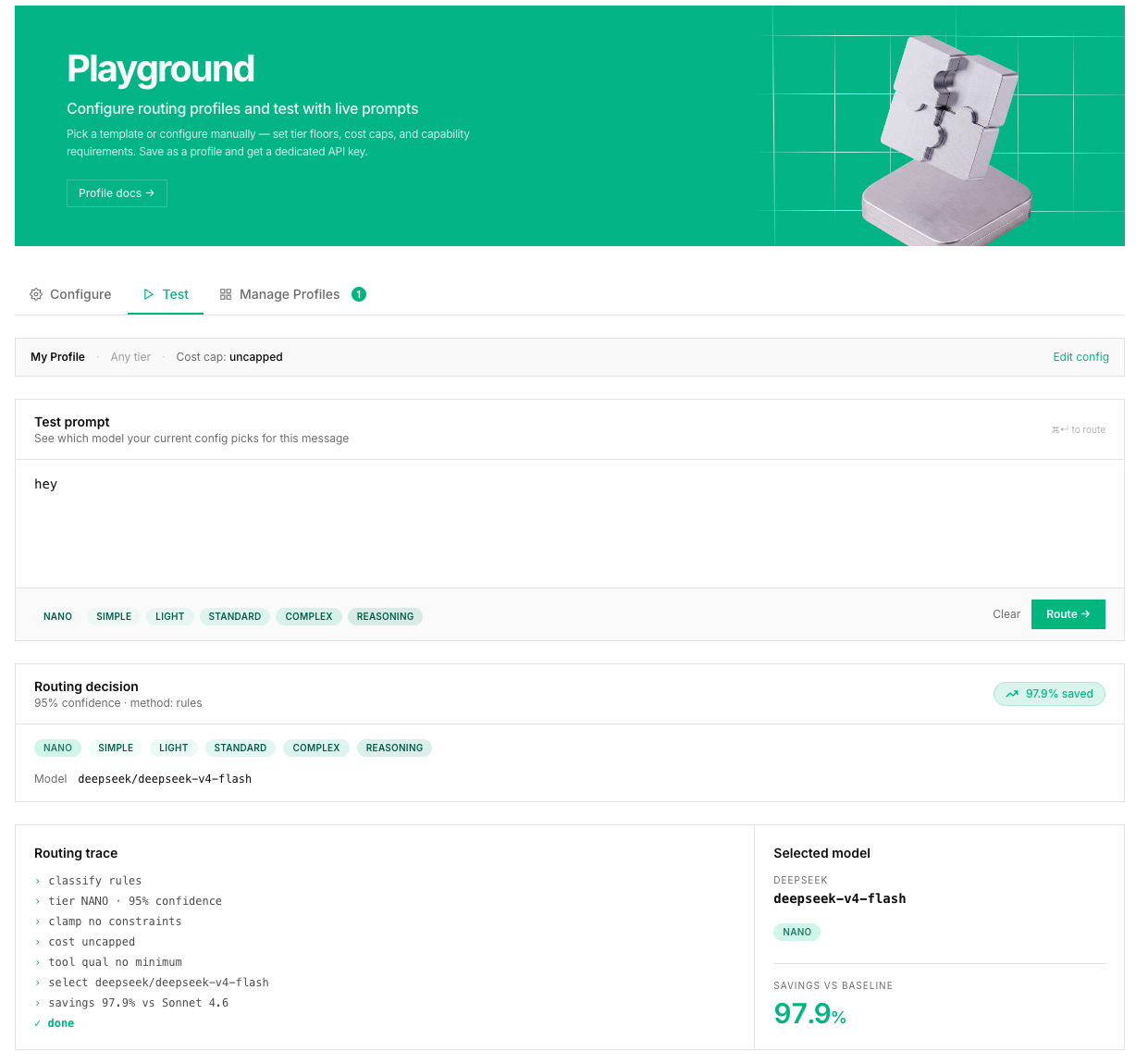
After routing, you see a result panel with:Tier Badge
Shows which tier was assigned, for exampleSTANDARD. Color-coded:
Selected Model
The model Routor would use for this request. Shown asprovider/model-name, for example deepseek/deepseek-v4-pro or google/gemini-3.5-flash.
Confidence Score
How certain the classifier is about the tier assignment, from 0 to 1.Cost Estimate
Shows the estimated cost for this request on the selected model vs what it would have cost on a baseline model like Claude Opus 4.8. Example:Method
How the tier was determined.Fallback Chain
The ordered list of models Routor would try if the primary fails:Testing Against a Profile
To see how a prompt routes under a specific profile:- Select the profile from the profile bar above the input box - it shows the profile’s name, tier constraint, and cost cap
- Type your prompt and click Route
Why a Decision Might Surprise You
If a prompt is routed to a higher tier than expected, these are the most common reasons:- Code keywords detected - even mentioning function names or syntax can bump the tier
- Multi-step patterns - numbered lists or “first… then…” patterns score higher
- Long context - a large system prompt or long conversation history pushes toward COMPLEX
Example Prompts to Try
These cover the full tier range and help you understand how the classifier works:
Run each one and compare the confidence scores to build intuition for how the classifier works.
What the Playground Does Not Do
- It does not make a real API call to the model. It only runs the routing decision.
- It does not charge credits for testing prompts.
- It does not show the actual model response, only the routing decision.