

- Test how any prompt gets routed before it goes to production
- See exactly which tier, model, and confidence score Routor assigns
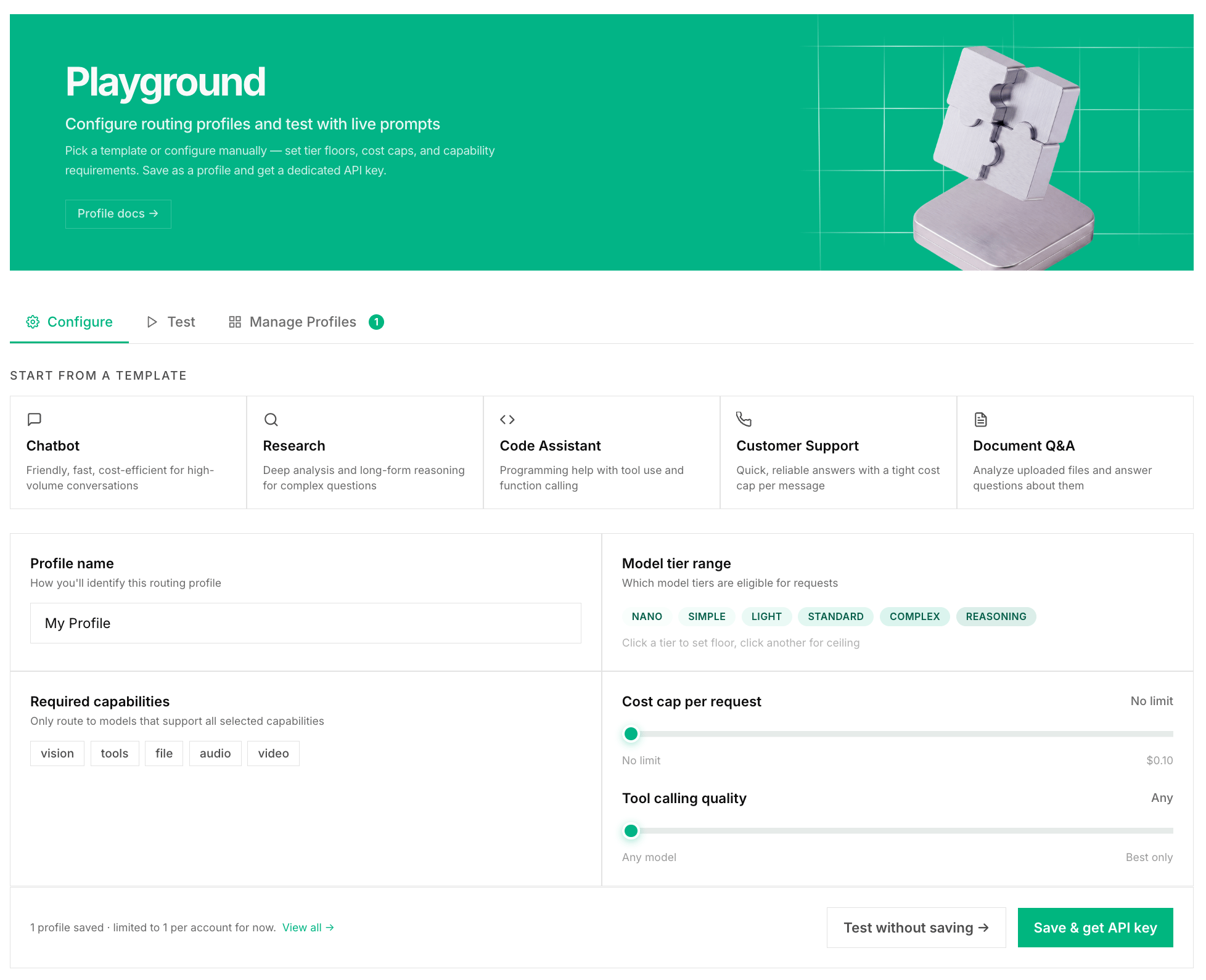
- Create Routing Profiles, saved configurations that give your app custom routing rules
- Experiment with tier floors, ceilings, and capability caps without touching any code
What You Can Do
Test a Prompt
Type any prompt and hit Route. Routor shows you:- Which tier it classified as (NANO, SIMPLE, LIGHT, STANDARD, COMPLEX)
- Which model it would pick
- The confidence score for the classification
- The full fallback chain, meaning which models it would try if the first fails
- Cost estimate compared to the baseline cost
Create a Routing Profile
A Routing Profile is a named set of routing rules attached to an API key. Think of it as a config file for how Routor should behave for a specific app or use case. Each profile gets its own dedicated API key, so you can have different routing behavior per app, environment, or team without changing any code. What a profile can do:- Force all requests to use at least STANDARD tier for a production feature
- Cap costs by setting LIGHT as the maximum tier for an internal tool
- Enable tool-calling routing for an agent
- Set a BFCL accuracy minimum for agents that need reliable function calling