Dashboard Overview
The Routor dashboard gives you a real-time view of your API usage, cost savings, provider health, and billing, all in one place.Navigation
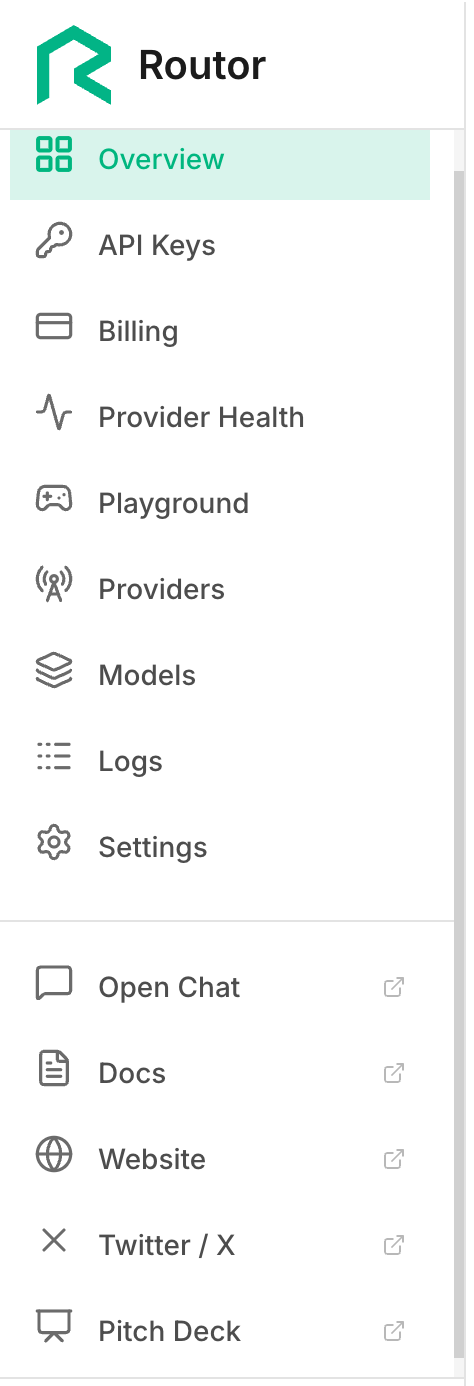
The left sidebar has five sections:| Section | What it shows |
|---|---|
| Dashboard | Summary stats, usage chart, recent requests |
| Usage | Detailed request history, tier breakdown, model distribution |
| Provider Health | Real-time status of all 13 providers |
| API Keys | Create, name, and delete API keys |
| Billing | Credit balance, top-up, transaction history |
| Playground | Test prompts and manage routing profiles |
📷 [Screenshot: Left sidebar with all navigation items visible]
Summary Cards
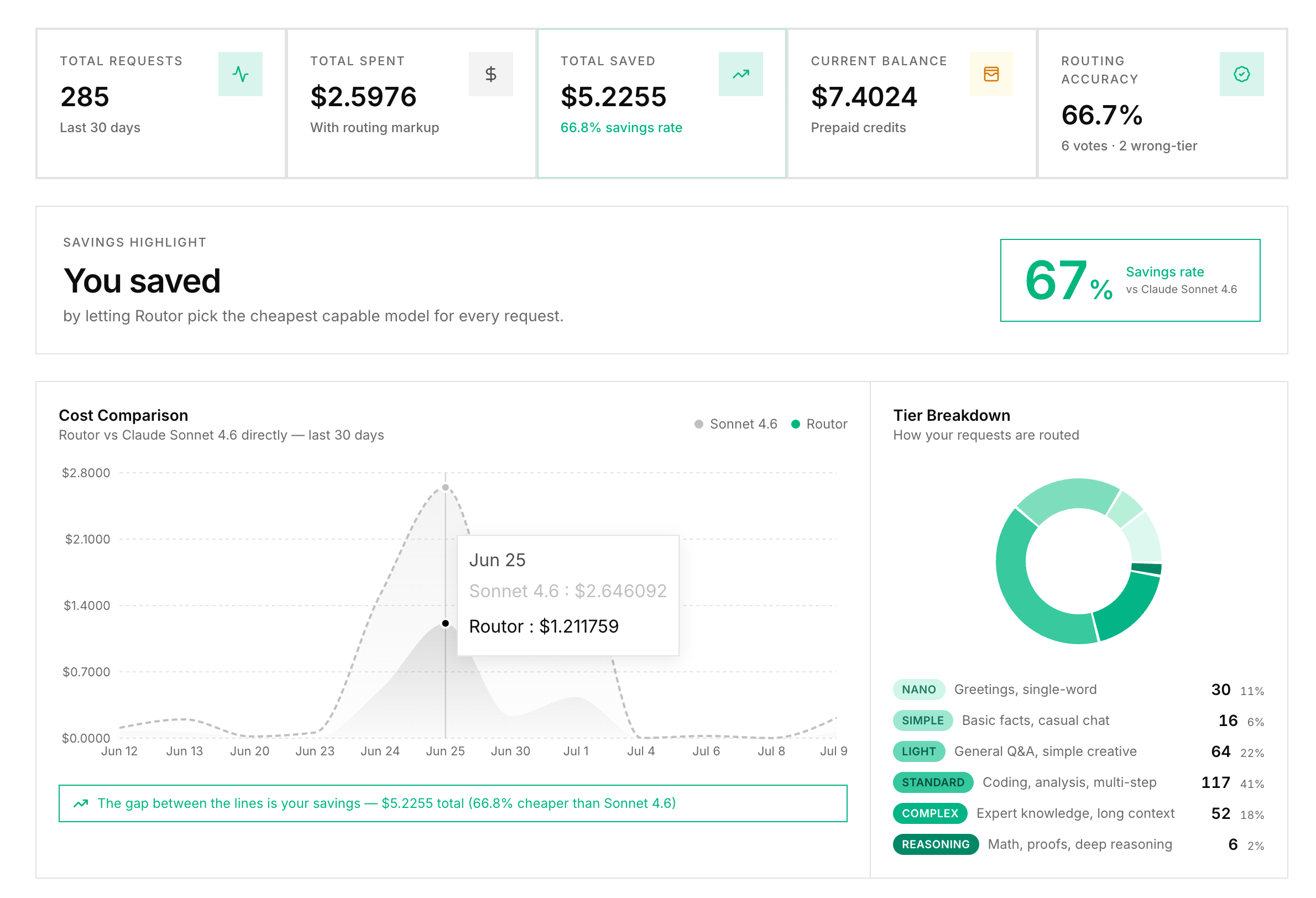
The top of the dashboard shows three key numbers.Total Requests
All API calls made with your keys this period.Total Savings
Cumulative cost savings vs routing everything to Claude Opus 4.8. Shown in USD and as a percentage.Credit Balance
Your current remaining credit in USD.📷 [Screenshot: Three summary cards showing request count, savings amount, and credit balance]
Usage Chart
The main chart shows request volume and cost over time. You can toggle between two views:- Requests - number of API calls per day
- Cost - actual cost vs estimated baseline (what you would have paid on Claude Opus 4.8)
📷 [Screenshot: Usage chart with two lines, actual cost lower and baseline cost higher, showing the savings gap]
Recent Requests
Below the chart, a table shows your most recent API requests:| Column | Description |
|---|---|
| Time | When the request was made |
| Prompt (preview) | First 60 characters of the prompt |
| Tier | Which tier was assigned |
| Model | Which model handled it |
| Tokens | Input and output token count |
| Cost | Actual cost of this request |
| Savings | Savings vs baseline for this request |
📷 [Screenshot: Recent requests table with 5 to 6 rows visible, showing different tiers and models]